Understand the structure. Prioritize the risk. Act inside the IDE.
AtlasArc brings interactive architecture analysis into IntelliJ IDEA. Map the real structure, find the cycles, investigate boundary evidence, and expose complex, undertested code, then prioritize the risk, govern the exceptions, and report it to your team, all without leaving the editor or standing up a separate architecture tool.
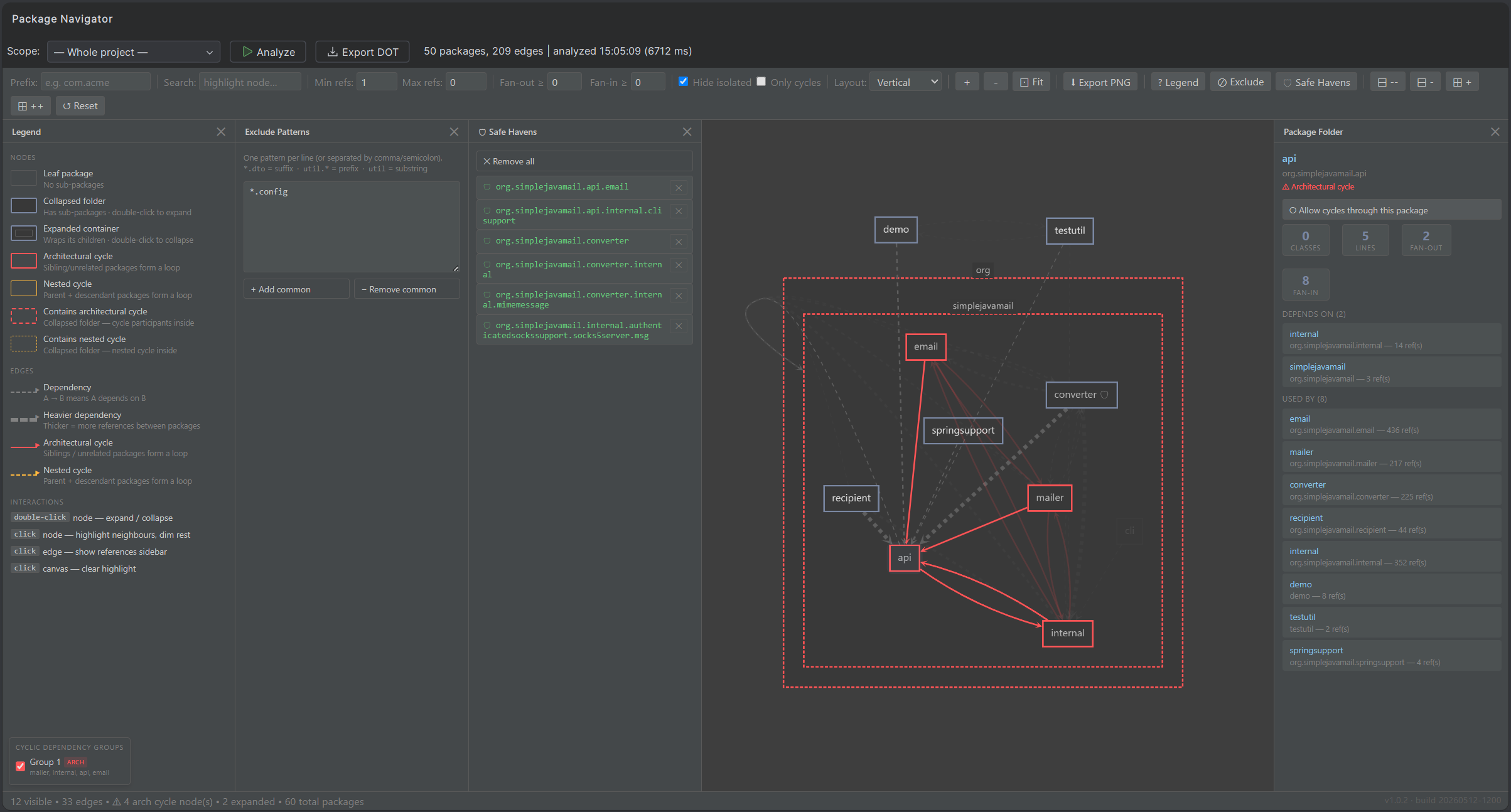
Screenshot — Topology Graph, Matrix, and Composition treemap
Map the architecture
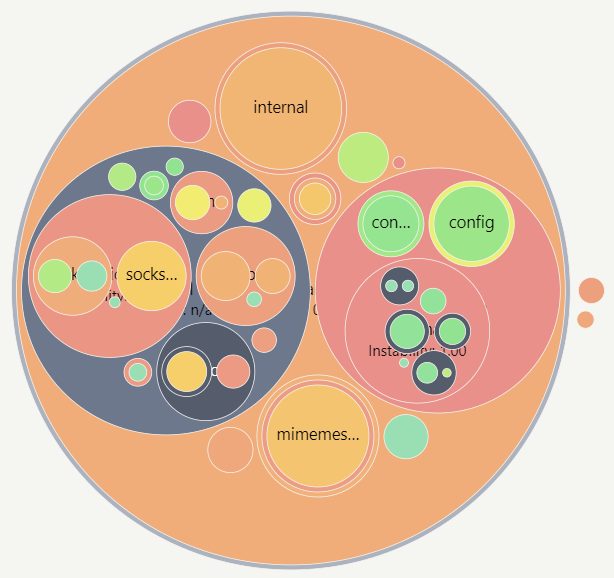
The structure you remember and the structure you have drift apart with every sprint. The Topology Graph and Package Matrix show the package or source-folder relationships in the selected analysis source; open one visible owner in Topology when you need its contained class or file relationships. The Composition view maps where the code mass actually sits as a treemap, sunburst, or circle pack.
Choose the Analysis Source you want to inspect. If the required JVM build output or TypeScript analysis evidence is unavailable, AtlasArc names the missing build or setup step instead of presenting a deceptively empty architecture.
Commit repository Analysis Scope when the IDE, authoritative metrics and cycle findings, reports, and CI must use the same evidence boundary. Current Focus, hierarchy roll-up, filters, and pins then make that model readable without changing what officially counts.
Expand and collapse the hierarchy inline, filter by coupling strength, lay a metric heatmap over the graph, and open one visible package/source folder as a contained class/file microscope when the local implementation tangle matters. Survey the whole map, or drop a pin on the package you are about to touch and turn the graph and matrix into a focused subject audit. You read the architecture as it is, not as the README claims. See handling large projects.
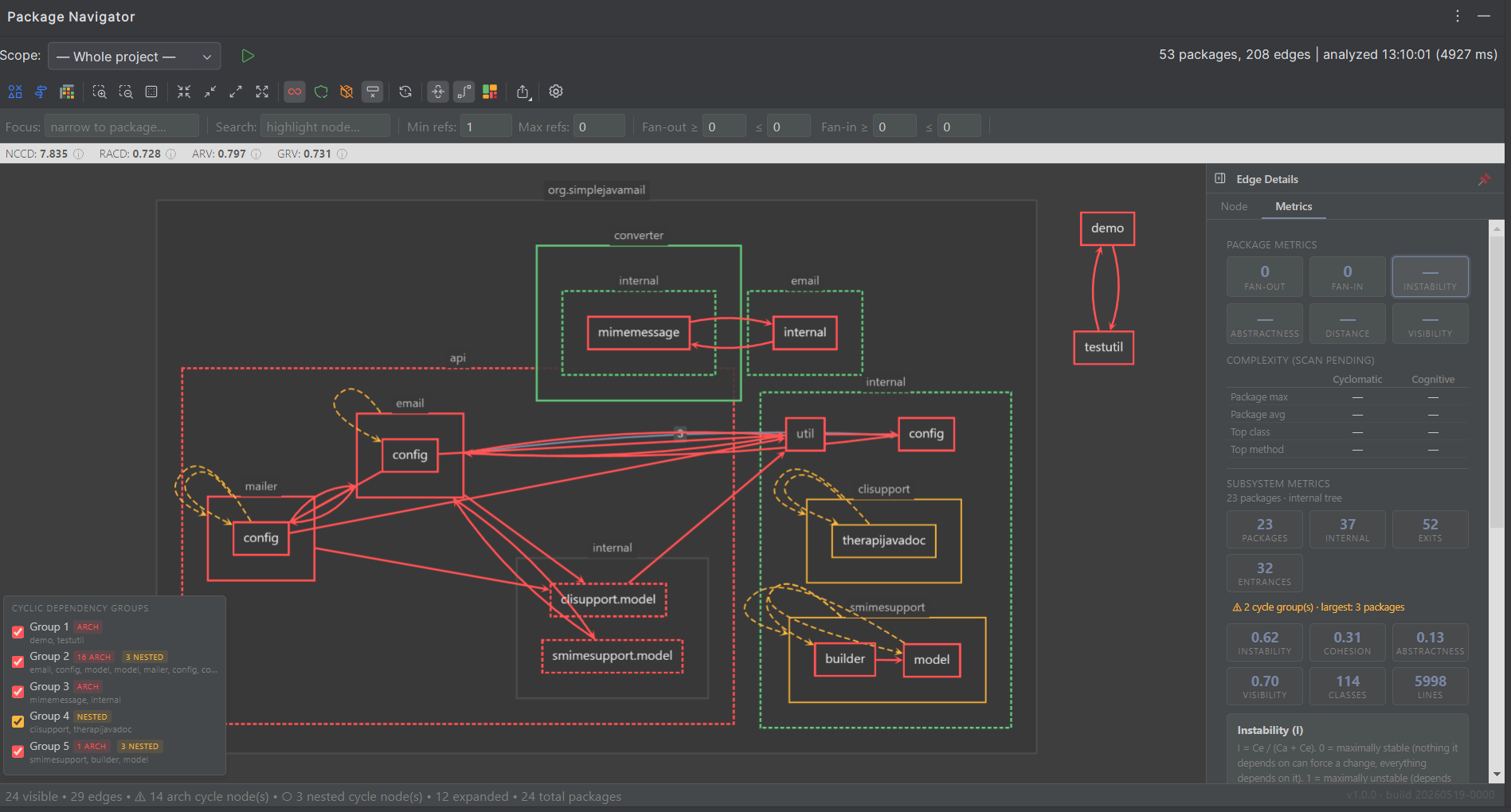
Screenshot — Cycles and boundary leaks in the Topology Graph
Diagnose structural problems
Cycles are the headline, but they are not the whole story. AtlasArc separates the structural dependency graph from the cycle problem graph, filters the view to just the loops, and groups them by cluster so you can work one tangle at a time with the cycle-group navigator. The same model gives you evidence for quieter investigations: dependency traffic across a selected boundary, the breadth of a package’s public surface, and coupling patterns that may put a package in the wrong layer. These are architectural reads, not additional AtlasArc pass/fail findings. Open a suspicious package’s contained internals to inspect the local class/file tangle, then jump to the source edge that proves it.
Screenshot — Complexity and coverage heatmap on the hierarchy
Expose complex, undertested code
Structure is only half of maintainability. AtlasArc reads cyclomatic and cognitive complexity down to the method, and overlays branch and line coverage from the reports your tests already produce. The Hotspots CC vs Coverage map shows the large, complex, weakly covered packages first, so you can add characterization tests before you refactor, not after something breaks in production.
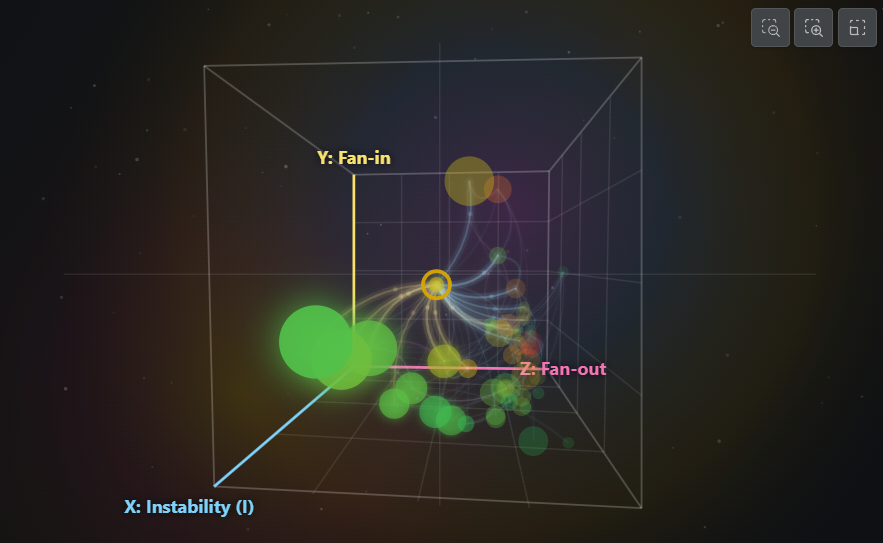
Screenshot: Hotspots Galaxy continuation with visible dependency routes
Prioritize what to fix
Fan-in, fan-out, instability, abstractness, distance from the main sequence: a metric in isolation is a number; a metric on the structure tells you where to act. Hotspots Map shows which packages stand out. Galaxy adds another signal and reveals which nearby candidates actually depend on one another. Subsystems maps pressure across the architecture boundaries currently in view. You spend the refactoring budget where the evidence concentrates.
Screenshot — Repository governance review and Safe Havens in the graph
Govern intentional exceptions
Not every cycle is a mistake: some dependencies are intentional, some are tracked debt. A zero-cycles rule that cannot record intent just gets switched off. AtlasArc gives you two controls with different reach. Safe Havens remember broad package or source-folder regions you want out of your workspace cycle view. Repository governance applies precise Intentional or Debt treatment to supported dependency evidence in .atlasarc/governance/cycles.json, with a reason and optional ticket you can search, review, and maintain as the code changes. That control is useful locally; commit the file when you also want the decisions versioned with the code, reviewed by other developers, and enforced in CI. Explicit decisions update only AtlasArc's governance file, refuse concurrent edits, and never change application source or build files; the headless evaluator applies the same Java, Kotlin, or TypeScript evidence rules as the IDE.
Screenshot: Architecture Report index and Printable Version
Share the investigation. Report the outcome.
Save and commit a Shared View when an investigation is worth reopening. It restores a named Root or pinned subject, lens, filters, hierarchy posture, and view-only exclusions into an ordinary editable session, so a teammate can pick up the same question without freezing it. Shared Views do not change repository Analysis Scope or CI.
When the review is ready to hand on, AtlasArc turns project, subsystem, boundary, cycle, and current-investigation reviews into Architecture Reports: browsable HTML with focused sections plus a Printable Version for PDF or meeting packets. Export every lens as PNG, or take lens data and the architecture model further with CSV, TSV, or DOT when you need a raw file.
Start simple and get real insight. Then turn architecture review into a durable team practice.
Screenshot slices follow the work from acquiring evidence through sharing an investigation. Select a slice to expand it.
Analysis source● ● ●
Selected evidence
Whole project · IntelliJ modules
Java / KotlinBytecode ready
TypeScriptArtifacts ready
Coverage2 reports
Acquire evidenceAcquire evidence
Start with the actual build
Acquire evidence
Choose an Analysis Source in the IDE. AtlasArc builds the dependency model from compiled Java/Kotlin bytecode or the TypeScript artifacts your project generated. If required evidence is missing, it names the build or setup step instead of presenting an empty architecture.
Commit repository Analysis Scope so the IDE metrics and cycle findings, Architecture Reports, and the CI evaluator use the same evidence boundary. Current Focus and view-only filters remain investigation controls.
ExploreExplore
Follow the structure
Explore
Keep Current Focus, filters, and package expansion as you switch between Topology Graph and Package Matrix. Use Composition and Hotspots against the same underlying model, then open the metric evidence behind a selected item.
Identify cyclesIdentify cycles
Untangle one cycle at a time
Identify cycles
Isolate related loops in the cycle problem graph, then follow the exact dependency edge back to the source that created it.
Mark precise dependency evidence as intentional or tracked debt. Keep its reason and optional ticket searchable; commit the governance file when other developers and CI should use it too.
Run the configured evaluator from JUnit or as a standalone process, or add its native rule to an existing ArchUnit suite. Cycles covered by current Intentional or Debt records are governed; a new ungoverned in-scope cycle fails with evidence you can reproduce locally.
Project architecture health
simplejavamail · production architecture
53packages
7cycle groups
0.73cohesion
ReportReport
Leave a useful record
Report
Generate a browsable Architecture Report from the investigation's evidence and governance decisions, then open Printable Version when the review needs paper or PDF.
The graph, cycle decisions, CI gate, and fixed HTML summary are permanent. JetBrains Marketplace also offers an optional 30-day trial of the full workspace.